Virtual Gears

Virtual Gears gives you gears on a trainer — and in a riding app — that has none.
Use the smaller front ring if your bike has one, then pick a rear gear that keeps the chain straight and leave it there. Shifting happens on your iPhone or iPad instead, which changes how hard the trainer feels. Nothing on the bike moves, so there is no chain noise, no dropped chain, and no wear.
Why this exists
Zwift added virtual shifting in 2024, and Wahoo brought it to their newer trainers. The KICKR V5 was left out, permanently:
"We have reviewed the hardware and firmware capabilities of KICKR v5 (2020) and preceding KICKR versions. Unfortunately, these older models are unable to support the required protocols for virtual shifting using the Zwift protocol and will not be receiving a future update for this functionality."
Virtual Gears gives a KICKR V5 gears anyway. Because it appears as a normal FTMS trainer, it also brings virtual shifting to riding apps that do not provide their own.
The app was built and physically tested with a KICKR V5. Other direct-drive KICKR models are expected to work but have not yet been physically tested.
What it is
Your riding app connects to your iPhone or iPad instead of to the trainer. Virtual Gears passes everything through in both directions, and applies your chosen gear on top. The riding app still controls the road: hills feel like hills. It does not need special virtual-shifting support; ordinary FTMS trainer support is enough.
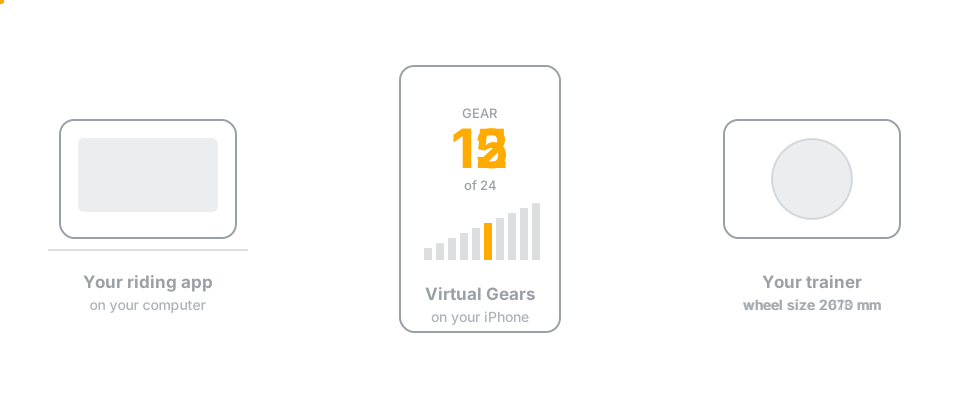
Wake an original Zwift Click or Wahoo Headwind before opening Virtual Gears and the app finds and remembers it automatically. The Click shifts from the handlebar. The Headwind can stay with its own sensor control or use a manual fan speed. Both remain optional and never hold up a ride.
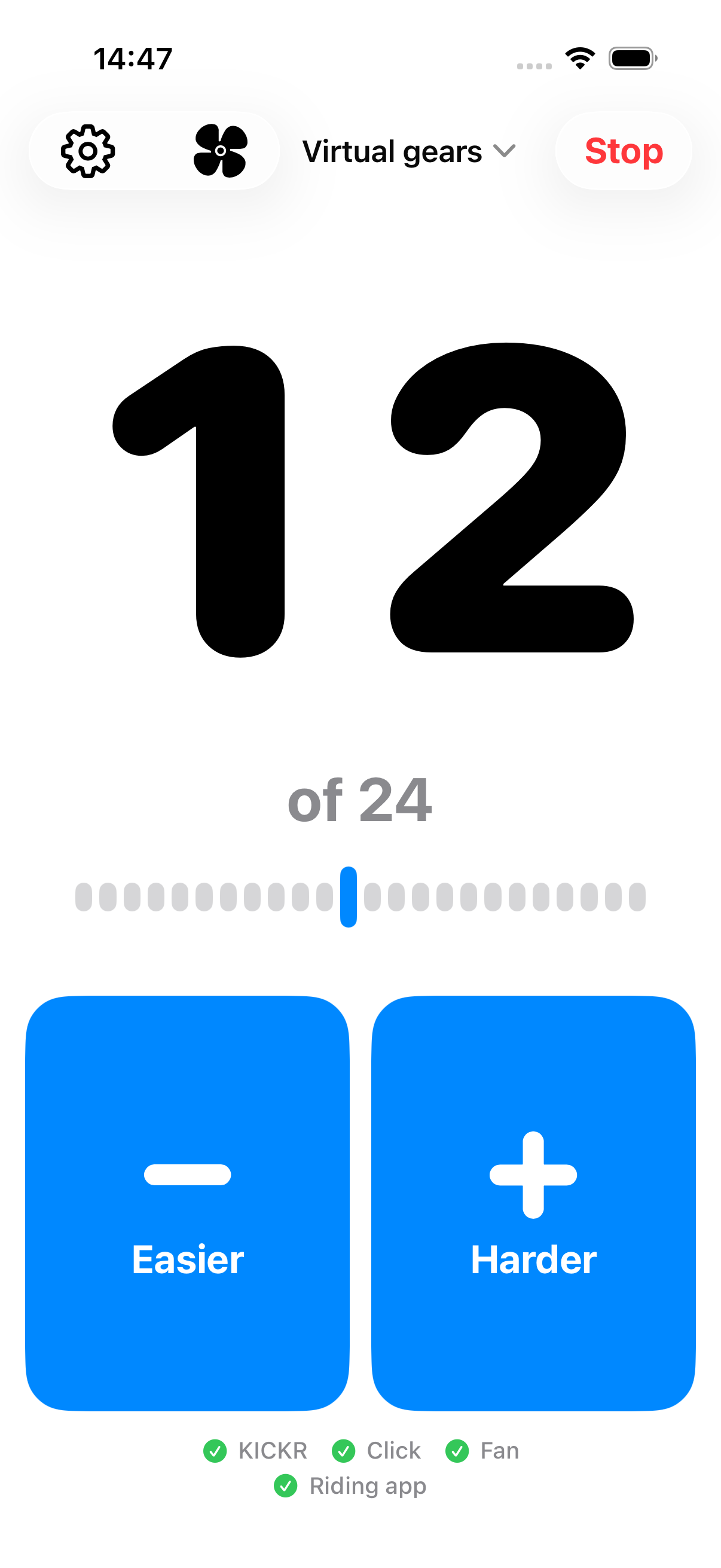
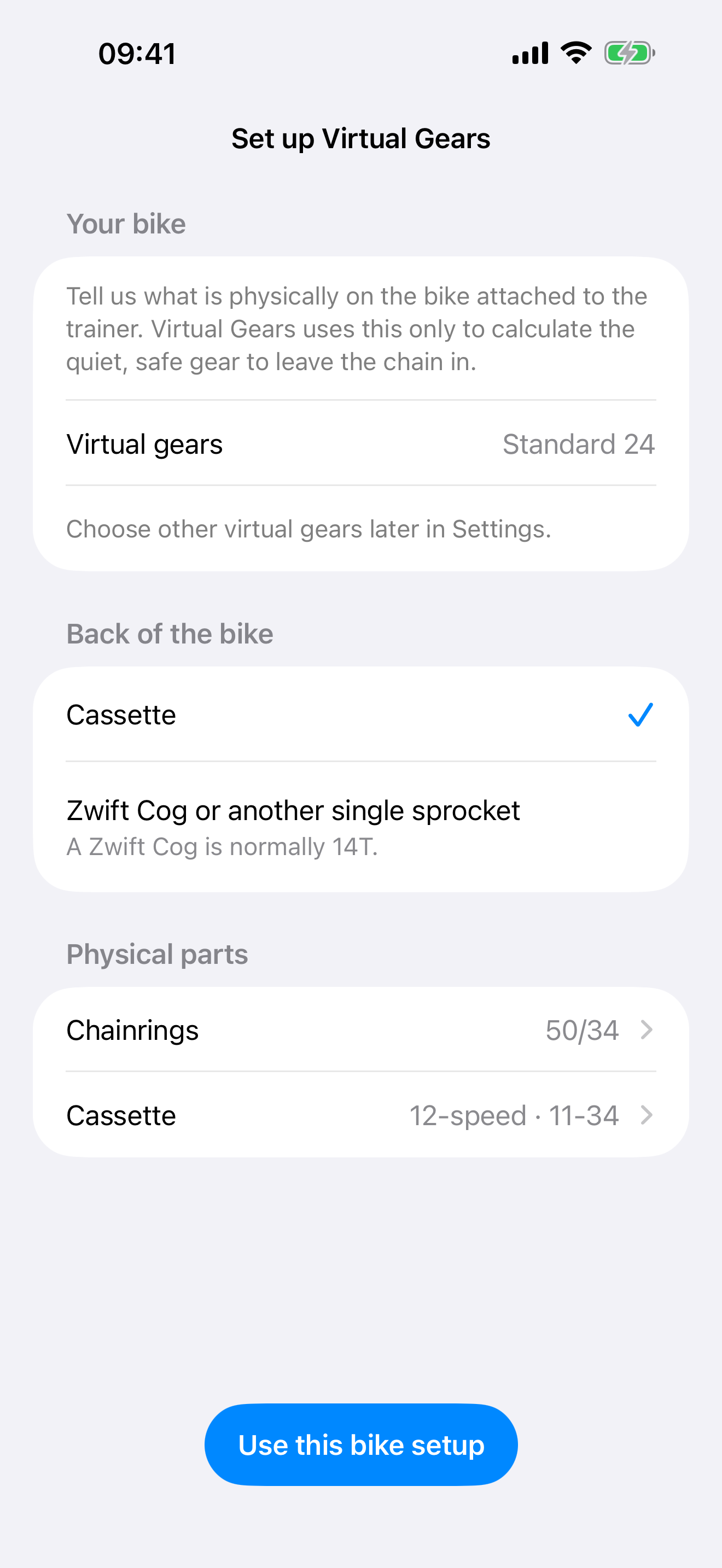
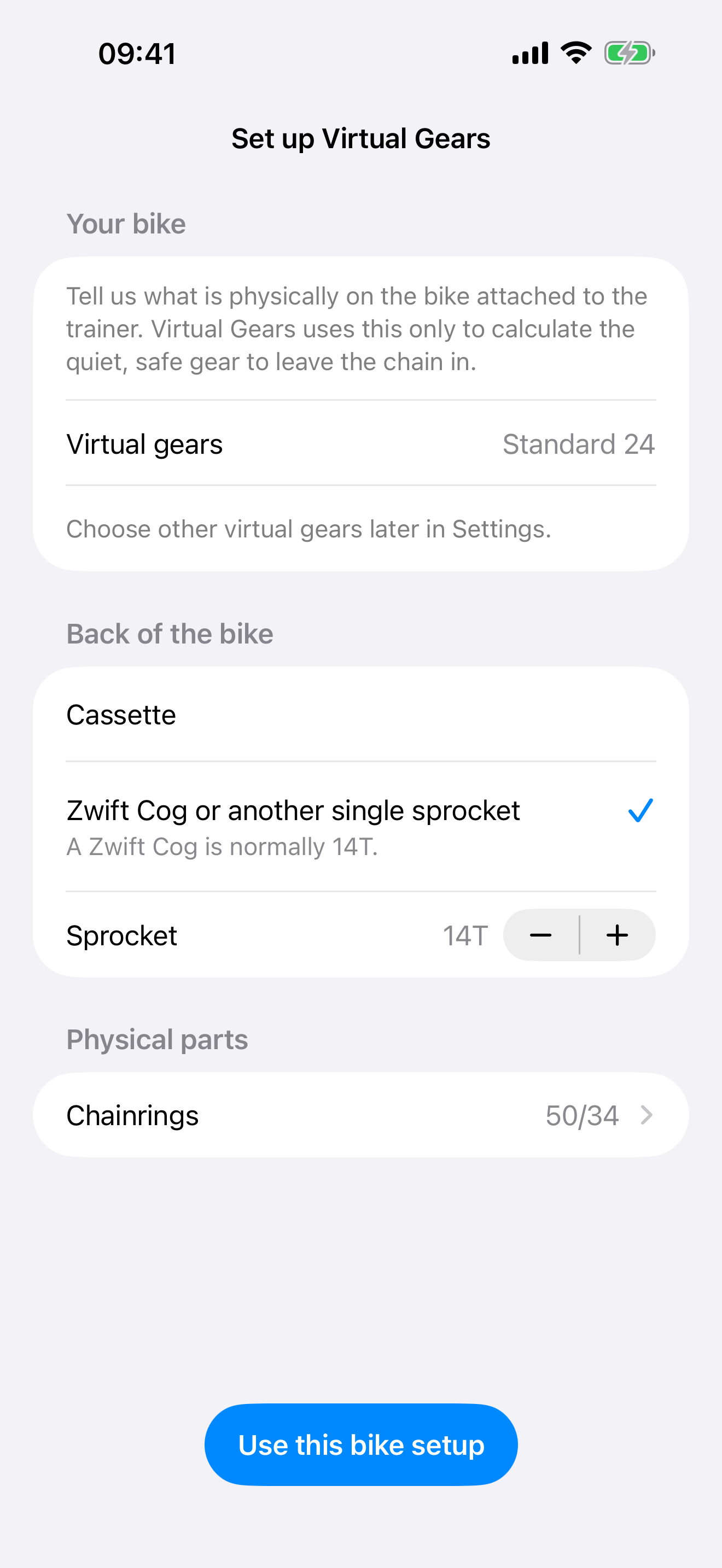
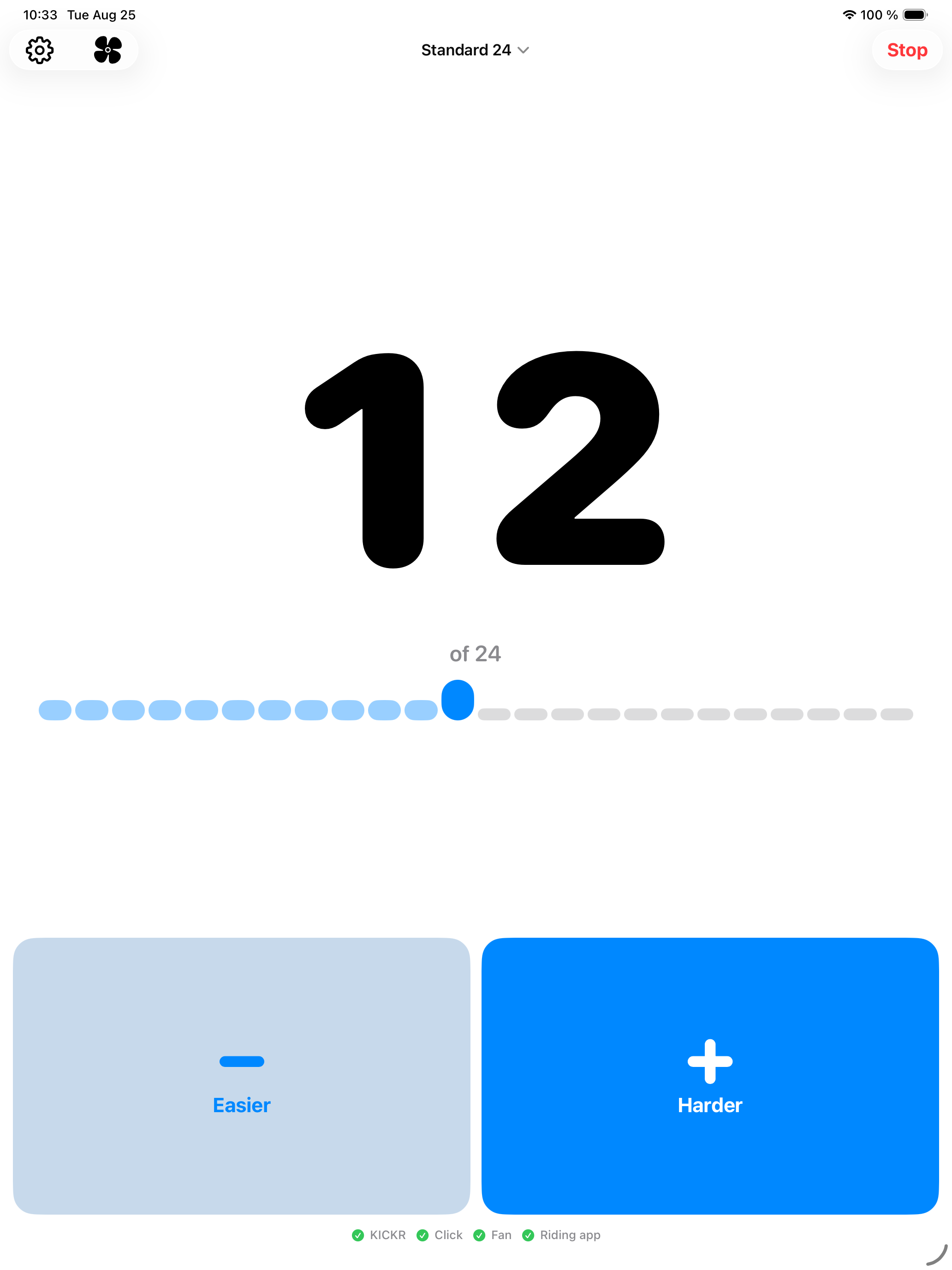
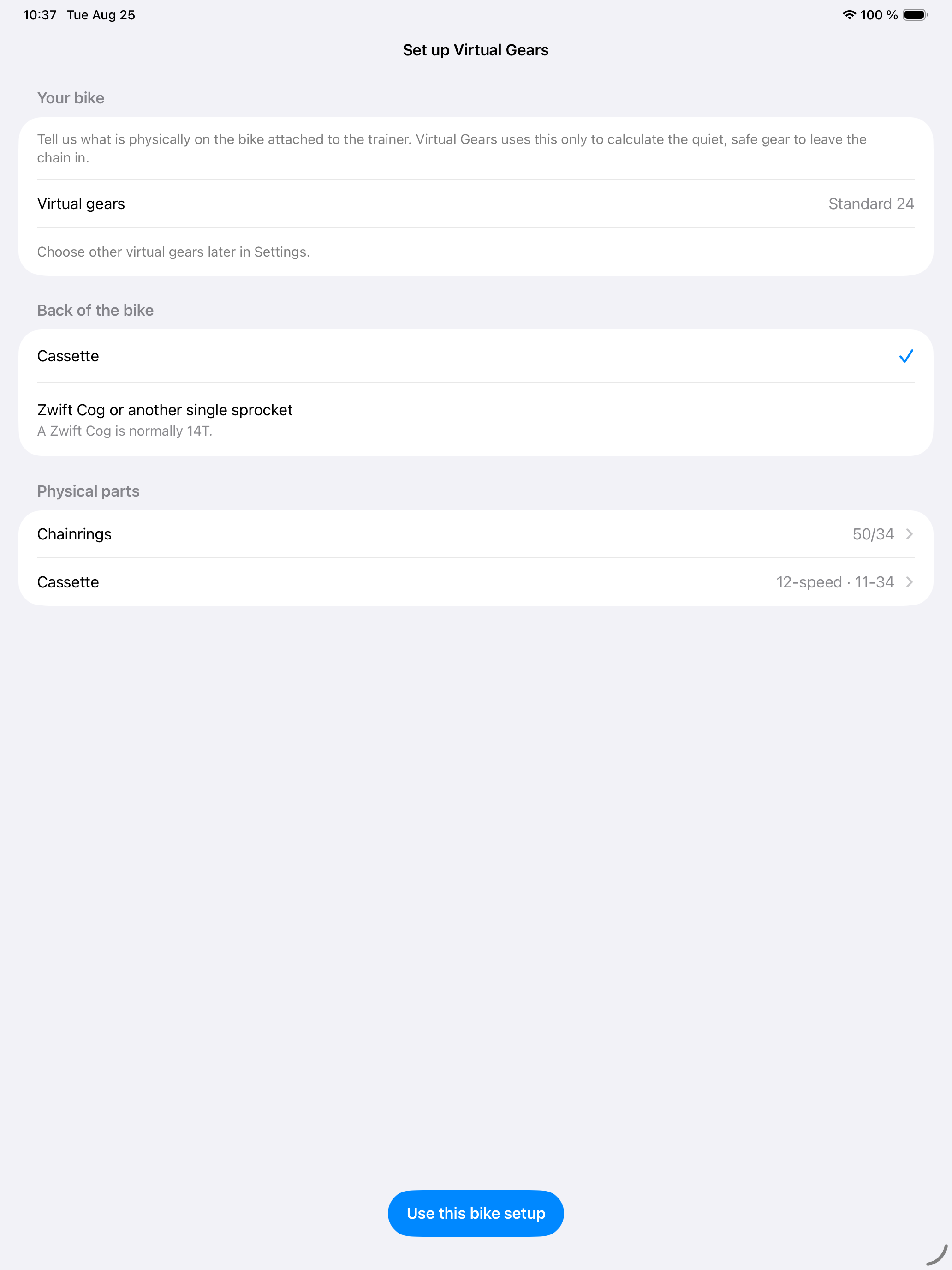
The iPad layout uses the same app-owned screens and actions rather than a separate tablet workflow. Controls stay bounded in full screen and reflow through the existing compact layout as Split View or Stage Manager narrows the window.
What you get
Start with the bike
Required first-run setup asks only what is physically on the bike: its chainrings and either its cassette or its Zwift Cog/other single sprocket. A Zwift Cog defaults to its usual 14 teeth. Virtual Gears then recommends where to leave the chain and starts with Standard 24 virtual gears. Named groupsets and custom virtual gears remain available later in Settings.
Settings keeps unfinished setup in one ordered card. Gearing is fixed first, because that determines which physical parked gear is safe; the chain position comes next.
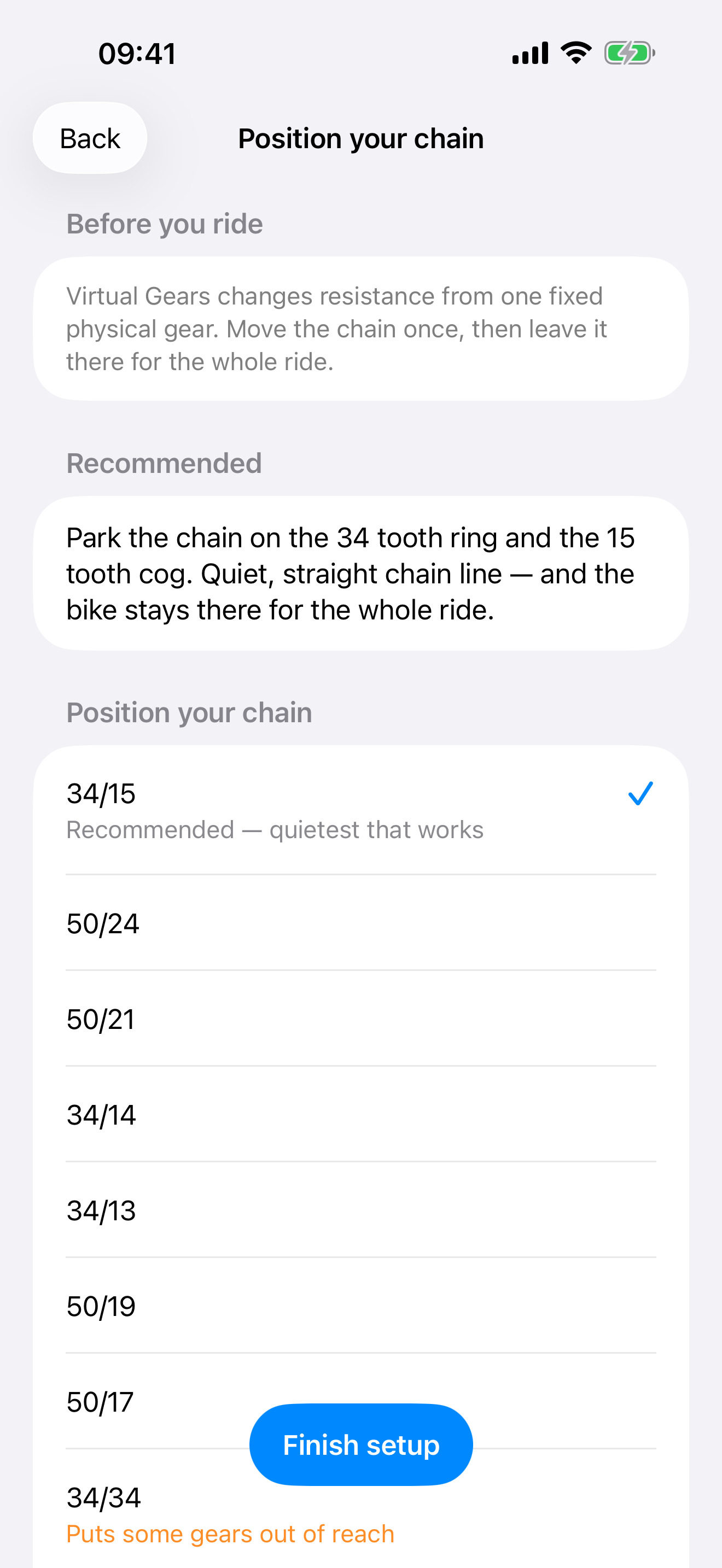
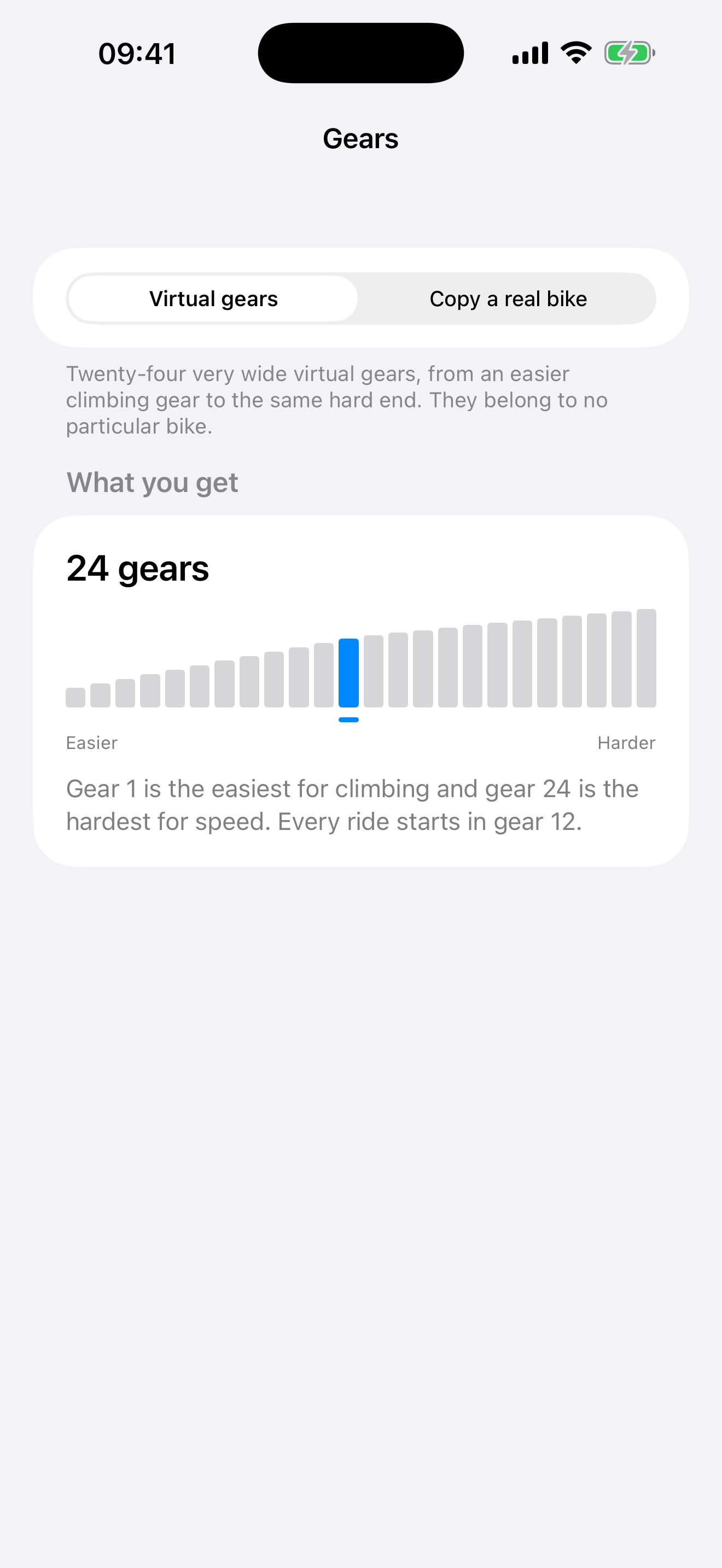
The physical fact it cannot guess
Your bike never shifts. It sits on the trainer in a single gear for the whole ride, and Virtual Gears changes gear by changing the wheel size the trainer works from. What your legs feel is the parked gear multiplied by the wheel size we set — so the app has to know the parked gear, or every gear is scaled from a guess.
"A quiet, straight chain line" is satisfied by gears more than twice as hard as each other, so this cannot be assumed. Instead the app names the gear to park in — the quietest one that still works with the gearing you chose — and you confirm or correct it in a tap. It is asked once and kept.
Confirm something far from the recommendation and the app says plainly what it costs, and offers a one-tap return to the gear it suggested.
Gears you can see
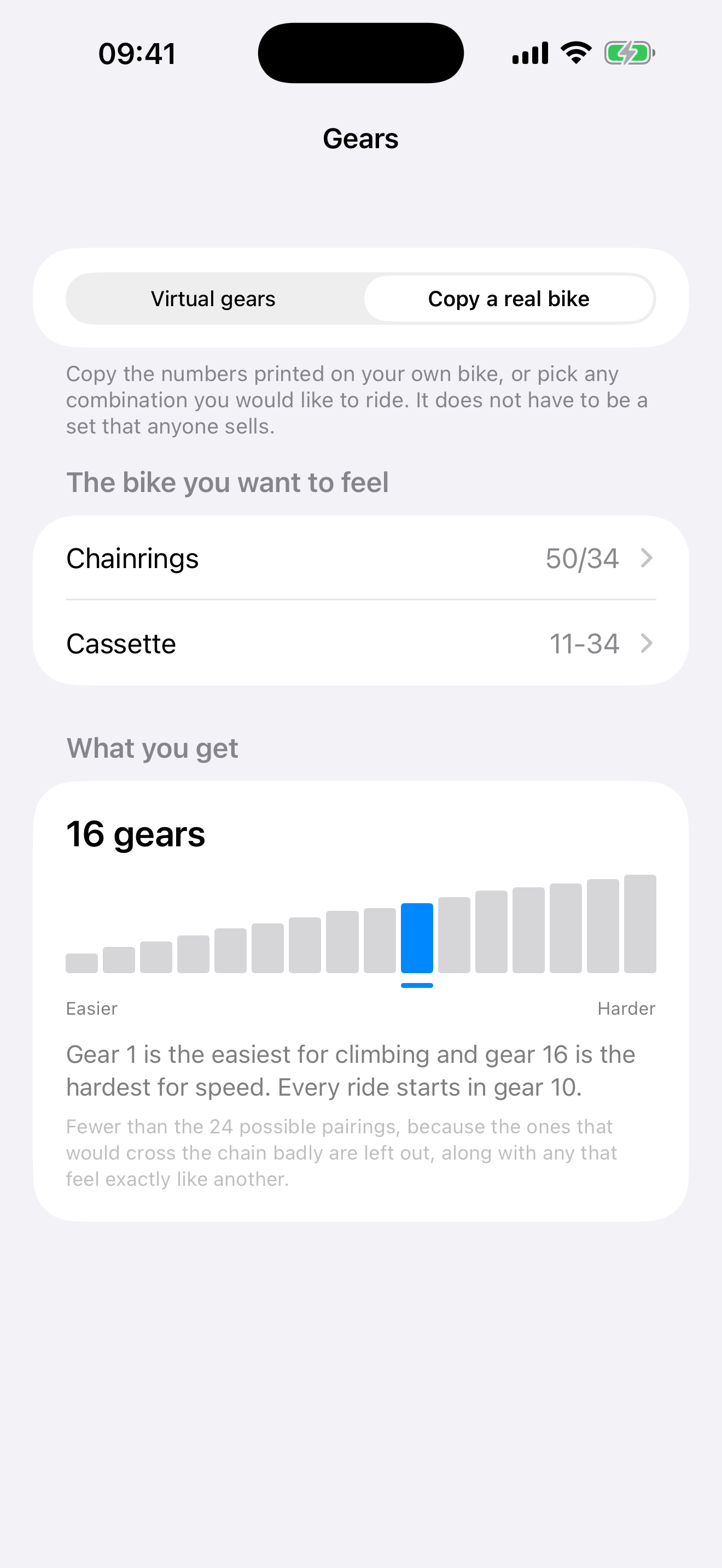
Either a 24-step virtual ladder, tuned with extra room for easy climbing, or a real groupset from Shimano, SRAM or Campagnolo — with your own chainrings and cassette still available if your bike is not listed. A real 50/34 with an 11-34 cassette gives sixteen gears, running 34x34 up to 50x11 — the gears you would really ride, not every possible pairing of a ring with a cog.
How the ladder is built
A Zwift Click has two buttons, so one sequence has to cover a whole two-ring drivetrain. That is the same problem Shimano solved with Synchronized Shift and SRAM with AXS Sequential, so Virtual Gears builds its ladder the same way rather than inventing a method: start on the small ring at the easiest cog, move one cog per press, and at the shift point change ring while jumping the cassette by a compensating amount, so the step still feels like an ordinary cassette step. Big-big and small-small are never used.
Two things fall out of that, and both are tested against every groupset the app ships: no shift is too small to feel, and the app never invents a gap the parts did not already have. Large jumps that come from your real cassette — an 11-34's 30 to 34 step — are kept, because they are real.
Campagnolo has no synchronised mode, so Virtual Gears models Campagnolo gearing and its shift points rather than claiming a Campagnolo algorithm that does not exist.
Virtual Gears is not affiliated with or endorsed by Zwift, Wahoo, Shimano, SRAM or Campagnolo. Those names are used only to describe the gearing being simulated.
Gears drawn, not listed
Whichever you choose is drawn rather than listed: one bar per gear, easiest to hardest, on a scale where a tall step is a jump the legs will notice. How far the gears reach and how evenly they are spread are visible at a glance, which no list of tooth counts can tell you.
Shifting
Two large buttons on the screen, placed for sweaty hands and a locked-out gaze. An original Zwift Click can be added and shifts the same gears, but it is never required and nothing ever waits for it. Its physical press is mirrored on the matching on-screen button; the gear number still changes only after the trainer confirms the shift.
The current gear is also an adjustable VoiceOver control: swipe up for a harder gear and down for an easier one. Confirmed gear changes are announced, so the ride can be controlled without looking at the screen. Accessibility details cover larger text and other iPhone and iPad settings.
Headwind control
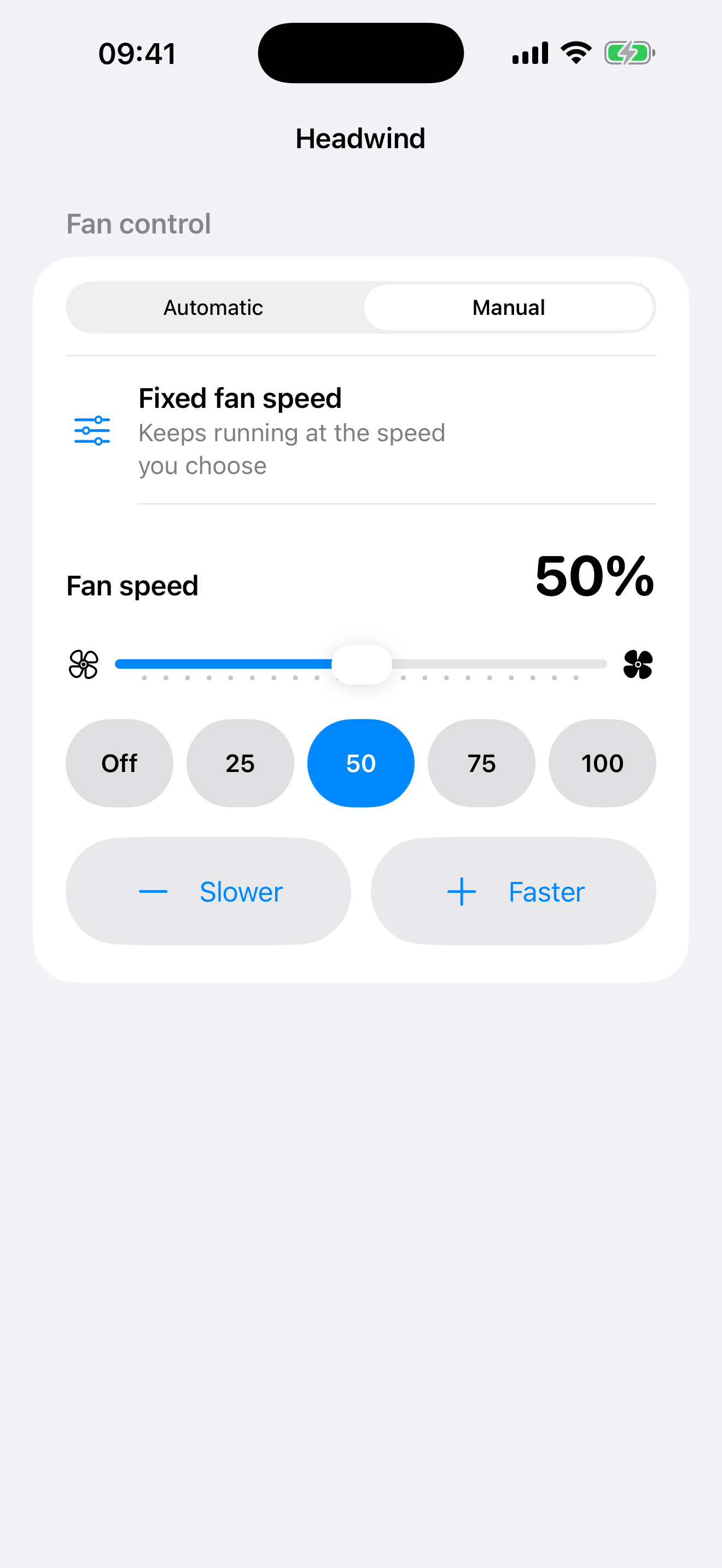
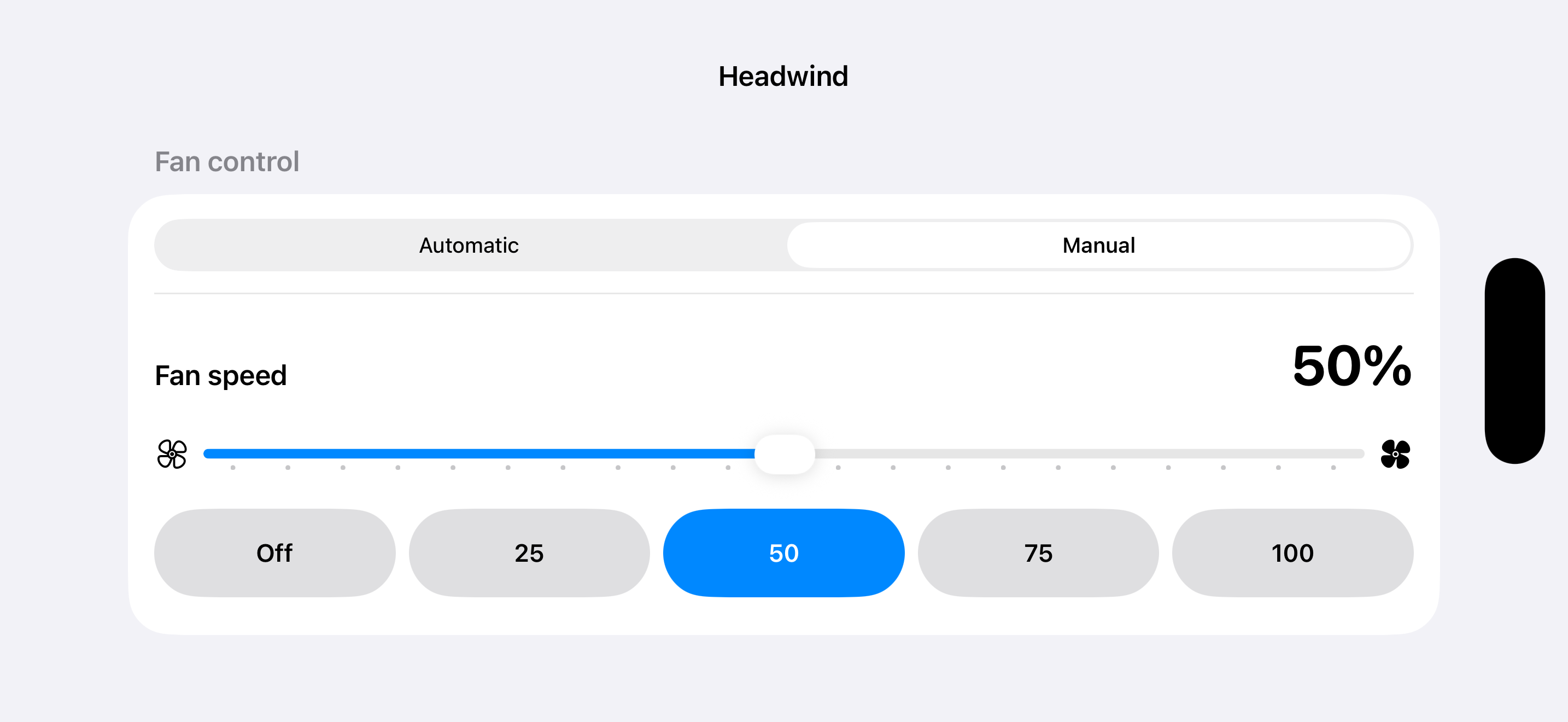
An optional Wahoo Headwind can use Automatic control from its paired sensor or a manual speed from the ride screen. Manual offers a slider and one-tap common speeds. It stays on the fan even after Bluetooth disconnects, so Virtual Gears explicitly returns control to the sensor and waits for confirmation before switching to another fan.
A trainer proxy, with shifting when you want it
Open the app. It looks for your trainer, connects to it and appears to your riding app on its own. On first run, finish the two required setup steps: describe the physical bike, then confirm the recommended chain position. Start Shifting engages the gears once that is done; Stop Shifting removes them without stopping or disconnecting the ride in your riding app.
The only question it asks is which device, and only when it finds more than one trainer, Click or Headwind. A single device is simply used. Bluetooth signal strength does not measure distance reliably, so multiple devices are listed by name rather than ranked or guessed.
Wheel circumference is optional in Settings. With no saved value, Virtual Gears uses 2105 mm (700×25 road). Common road, gravel and MTB shortcuts or direct entry can set any supported value from 1800 to 2400 mm. A size from the riding app takes precedence.
If no trainer is available, Try Demo opens a clearly marked simulated ride. It includes the ride screen, shifting, gear choices, Settings and example Click, Headwind and riding-app status. Demo Mode never uses Bluetooth and never changes saved equipment. It is a tour of the product, not evidence that untested physical hardware works.
During shifting, the trainer, Click, fan and riding app each keep their own status. A riding app that is still waiting to connect does not hide the equipment Virtual Gears already connected.
Everything changeable mid-ride
Trainer, gears, Click and Headwind can all be changed from the ride screen. Changing gears rebuilds them in place, without interrupting the ride, so the riding app on your PC never notices. If the trainer will not take the new gears, the ride carries on with the old ones rather than ending.
A ride survives an interruption
Taking a call, tapping a notification or switching to another app does not end your ride. The trainer stays connected and your riding app stays paired, so you can come back to the same gear.
What it does not do
Zwift-native virtual shifting. Virtual Gears supplies and displays its own gears over ordinary FTMS; it does not support Zwift's native gear system.
ERG mode. A workout that sets a target power is refused, because holding a power target and holding a gear are two different ideas of what the trainer should feel like. Virtual Gears still tells riding apps it is a trainer they can steer, so it appears in their trainer list rather than as a bare power sensor.
Trainers other than a Wahoo KICKR. The way Virtual Gears makes gears is not something every trainer can do, and the KICKR Snap and KICKR Bike cannot do it either. Which trainers work has the detail.
Questions or problems
Support runs in the open on GitHub — ask a question, report a bug, or tell us your trainer works. Support has the links and answers the common problems first.
Not affiliated with Wahoo or Zwift
Virtual Gears is an independent app. Wahoo, KICKR, Zwift and Zwift Click are the trademarks of their respective owners, named here only to say which hardware the app works with.